
With this product-specific custom field you can add an additional hover image to the product listing. It is displayed when the mouse is moved over the cover image.
On smartphones and tablets, a row with two dots appears below the product image. A tap on it switches between the cover image and the hover image, a tap on the image itself opens the product page.
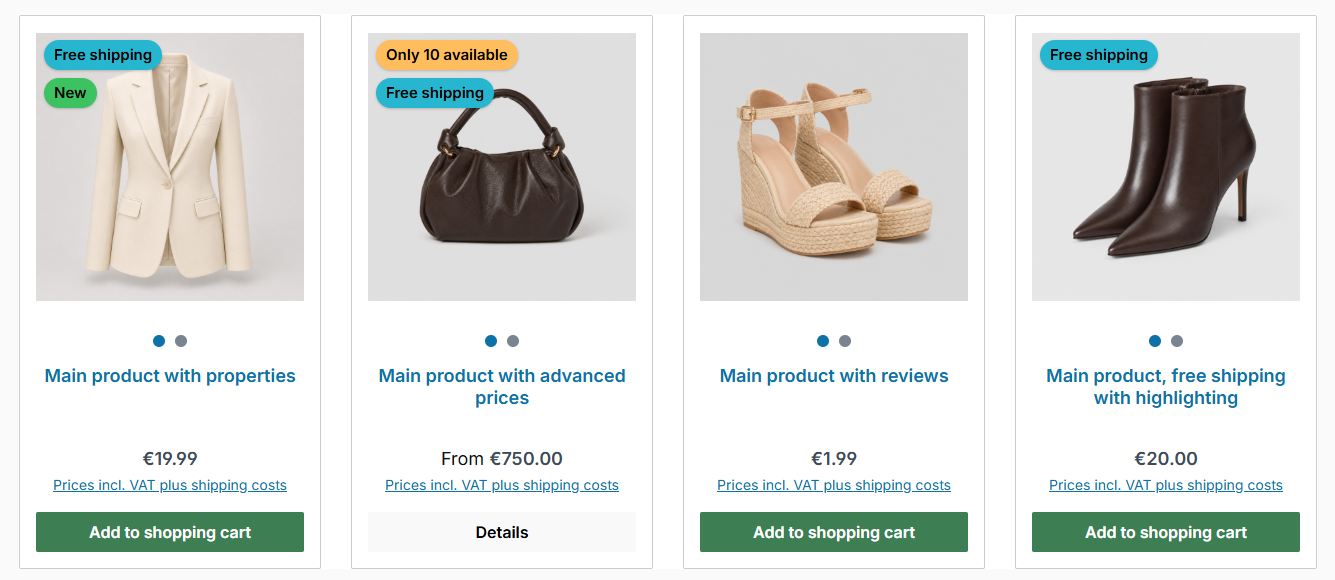
On touch devices, the dots below the image switch to the hover image
Note: The hover image is displayed if the hover effect "hover image (Custom field)" is selected in the theme configuration. There you also set the animation and the display on touch devices:
Tab "Listing pages" => Block "Product box" => Section "Product image" => "Hover effect", "Animation (Hover image)" and "Hover image on touch devices"
More on this under Product box.
Accessibility: The hover image complements the cover image and is not read out by screen readers. The row with the dots is no additional tab stop, the product box stays unchanged for keyboard and speech output. If "Reduce motion" is active in the system settings, the image changes without animation.
Guide: You can find a step-by-step guide in the ThemeWare® Wiki: Setting up a hover image in the listing (second product image)
Custom field
You can find the "Hover image" custom field in the respective product:
Tab "Specifications" ⇒ Block "Custom fields" ⇒ Tab (Set) "Products (ThemeWare® ... Pro)"
Type: Media selection
Technical name: twt_{theme}_{edition}_custom_field__product__hover_image