
The widget "Location or retail store" is a widget with which you can present your stationary shop.
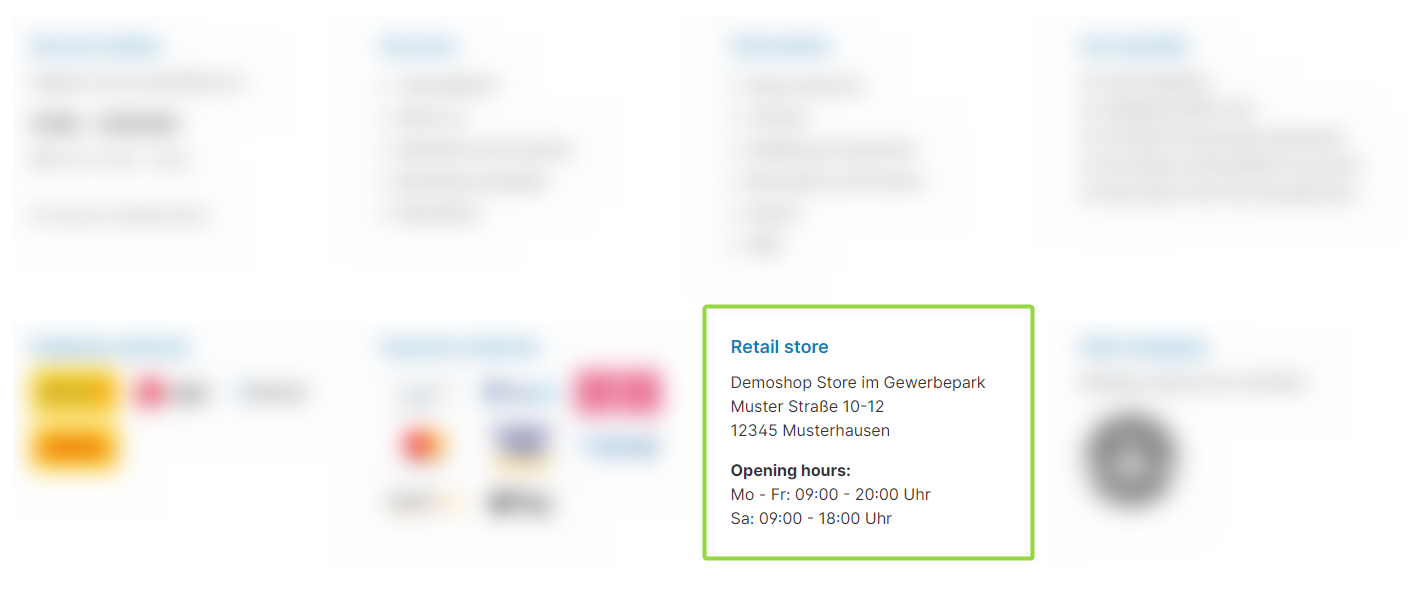
ThemeWare® "Location or retail store" widget
Configuration
You can configure the "Location or retail store" widget in the theme configuration.
You can find the configuration in the "Widgets" tab.
Content
- Edit the headline using the snippet
twt.widget.location.headline. - Edit the text using the snippet
twt.widget.location.content(supports HTML code). - Edit the label and link of the route planner button using the snippets
twt.widget.location.route.nameandtwt.widget.location.route.link.
Note: For information on how to edit snippets, see the following instructions: Texts: Editing and translation
Tip: If a change does not affect the storefront, just clear the Shopware cache: Clearing / warming up the Shopware cache
Options
- Show "Route planner" button
- Shows or hides the "Route planner" button. You maintain the label and link via the snippets
twt.widget.location.route.nameandtwt.widget.location.route.link.
- Shows or hides the "Route planner" button. You maintain the label and link via the snippets
Summary
Theme configuration
- Tab "Widgets" => Block "Location or retail store"
- Tab "Widgets" => Block "Location or retail store" => Section "Basic configuration" => Show "Route planner" button
- All settings in detail: Location or retail store
Snippets
- Headline
twt.widget.location.headline
- Text
twt.widget.location.content- The snippet supports HTML code.
- Route planner (optional)
twt.widget.location.route.nametwt.widget.location.route.link