
Here you set the look of all form fields in the shop, for example for login, contact form, checkout and quantity selection. As layout type you can choose "default" (border all around), "clean" (coloured area without a border) and "underlined" (line at the bottom). In addition, there are the colours of the fields, labels, checkboxes and radio buttons as well as the separation and colours of the quantity selection (-/+).
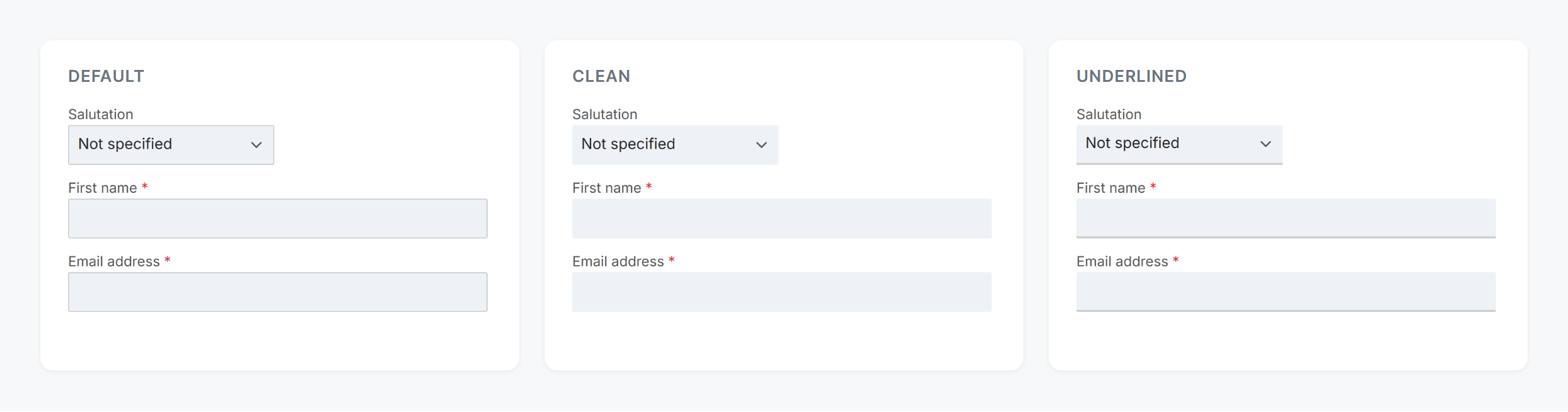
Form fields in the layout types default, clean and underlined
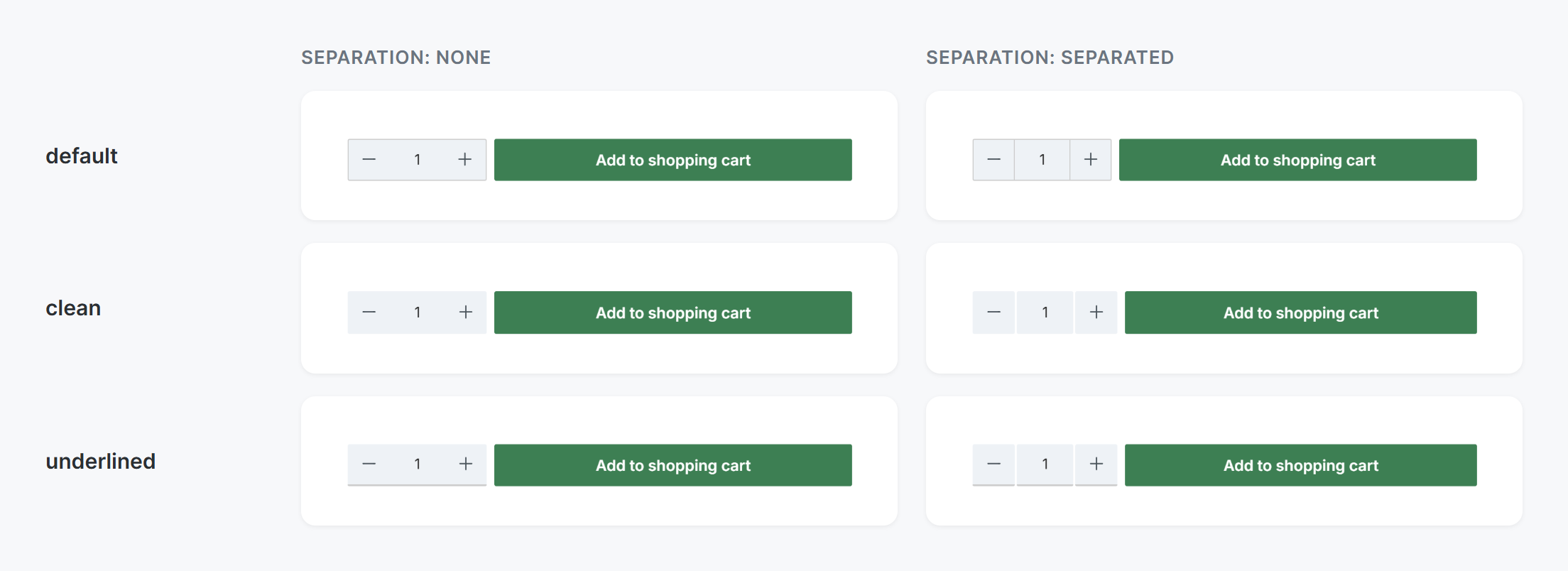
Quantity selection (-/+) per layout type, with separation "none" and "separated"
Configuration: Tab "Layout" => Block "Forms"
Further information
- All settings in detail: Configuration