
> For the complete documentation index, see [llms.txt](https://docs.themeware.design/llms.txt). Markdown versions of documentation pages are available by appending `.md` to page URLs; this page is available as [Markdown](https://docs.themeware.design/additional-features/custom-fields/products/downloads.md).

# Downloads

With the "Downloads" custom fields you store up to three downloads – each with a file, title and description – that are displayed under the description on the product page as download links via the ThemeWare® "Product downloads" extension.

## Custom fields

You can find the "Downloads" custom fields in the respective product:

> Tab "Specifications" ⇒ Block "Custom fields" ⇒ Tab (Set) "Downloads (... Pro)"
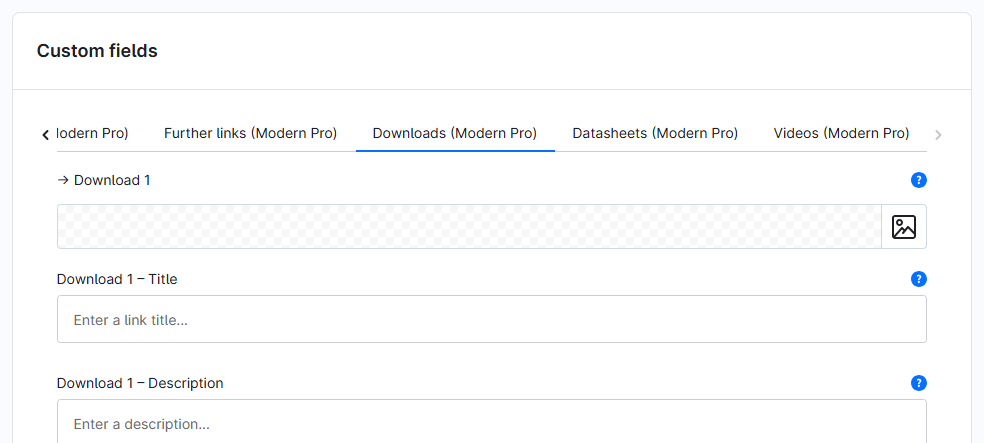
<figure><img src="/files/TCBEhHvoGes3qToA0thN" alt=""><figcaption></figcaption></figure>

The individual custom fields:

* [Download 1-3](/additional-features/custom-fields/products/downloads/download-1.md)
* [Download 1-3 – Title](/additional-features/custom-fields/products/downloads/download-1-title.md)
* [Download 1-3 – Description](/additional-features/custom-fields/products/downloads/download-1-description.md)

***

## Further information

{% content-ref url="/pages/X1J8UIhb7E4ItW4uXudh" %}
[Product downloads](/additional-features/extensions/product-downloads.md)
{% endcontent-ref %}
