
With GPSR information on product pages you display the product safety information under the GPSR – the manufacturer information and the responsible person – on your product pages. The information can be shown in the description, in the manufacturer tab or in a separate tab.
Note: The GPSR information is displayed when the feature is activated in the theme configuration and the corresponding custom fields on the manufacturer or product are filled.
Guide: You can find a step-by-step guide in the ThemeWare® Wiki: Showing GPSR information on product pages
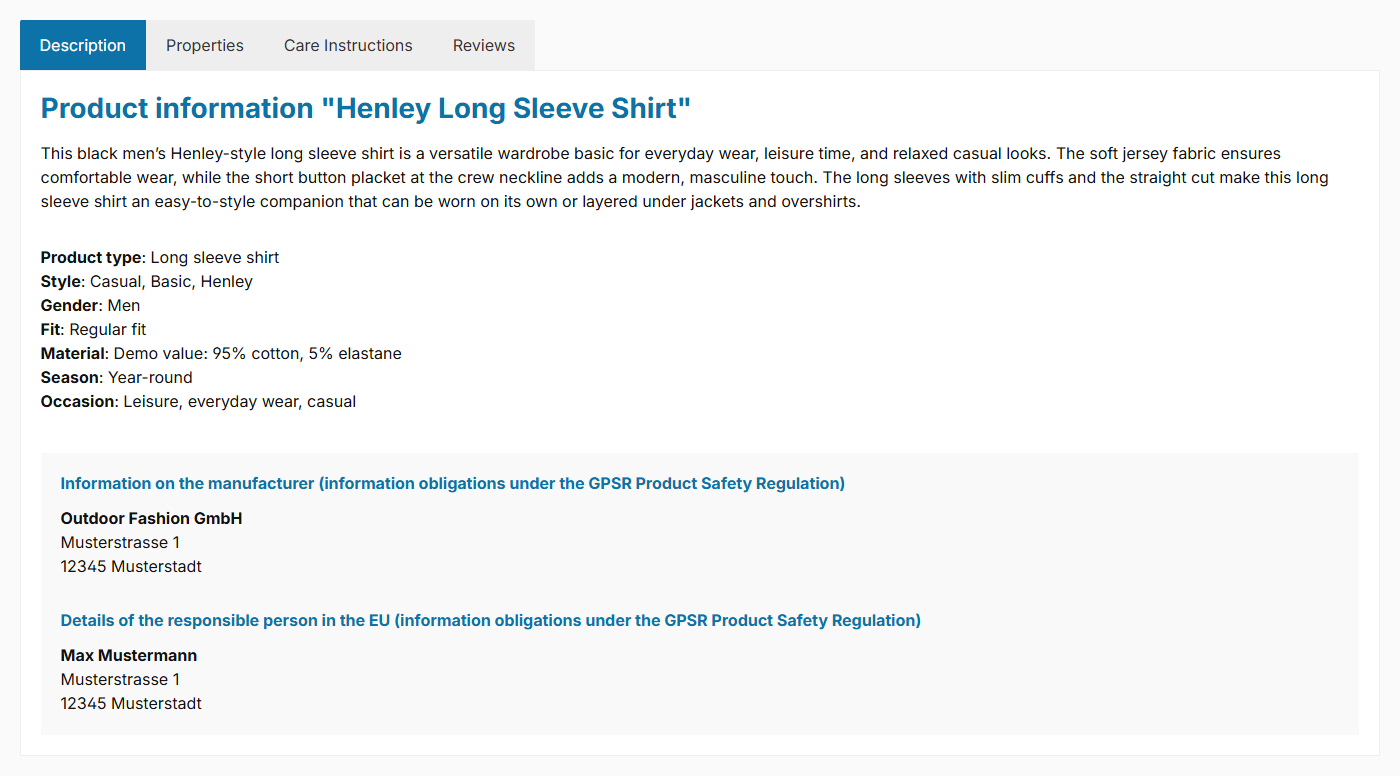
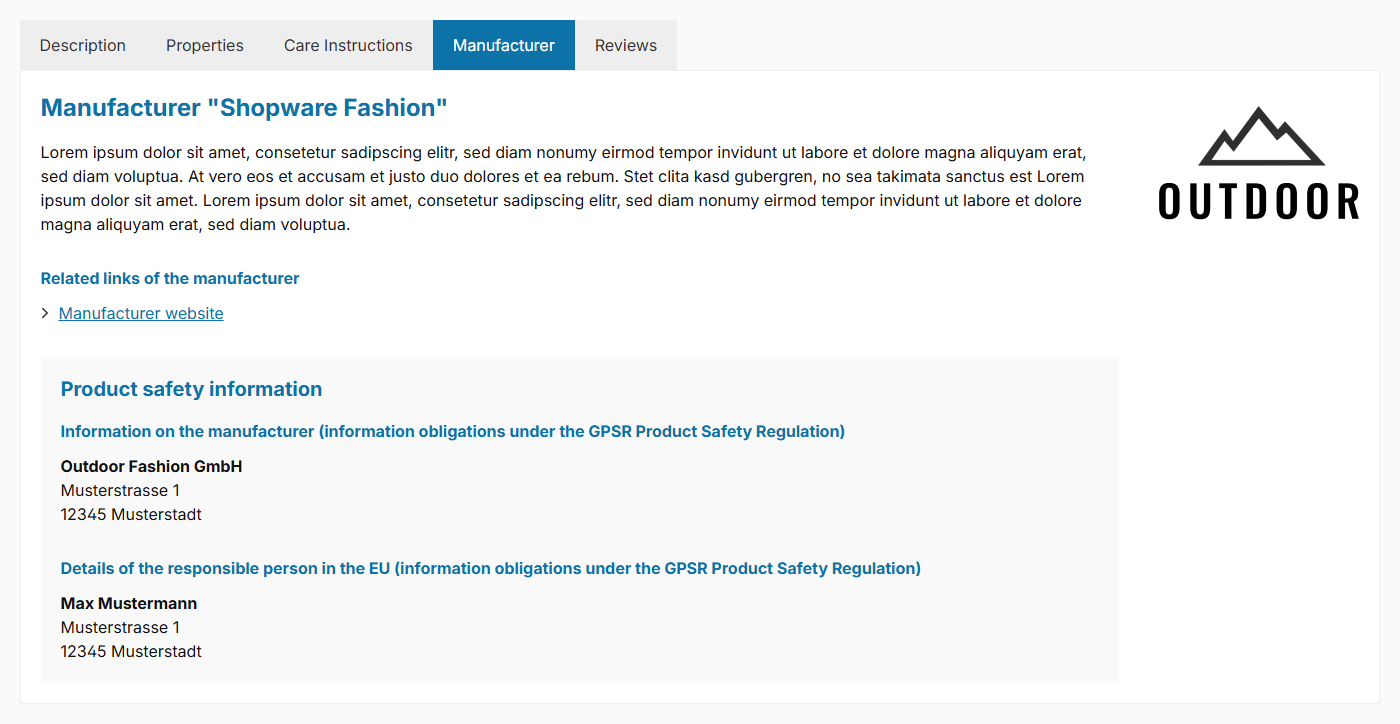
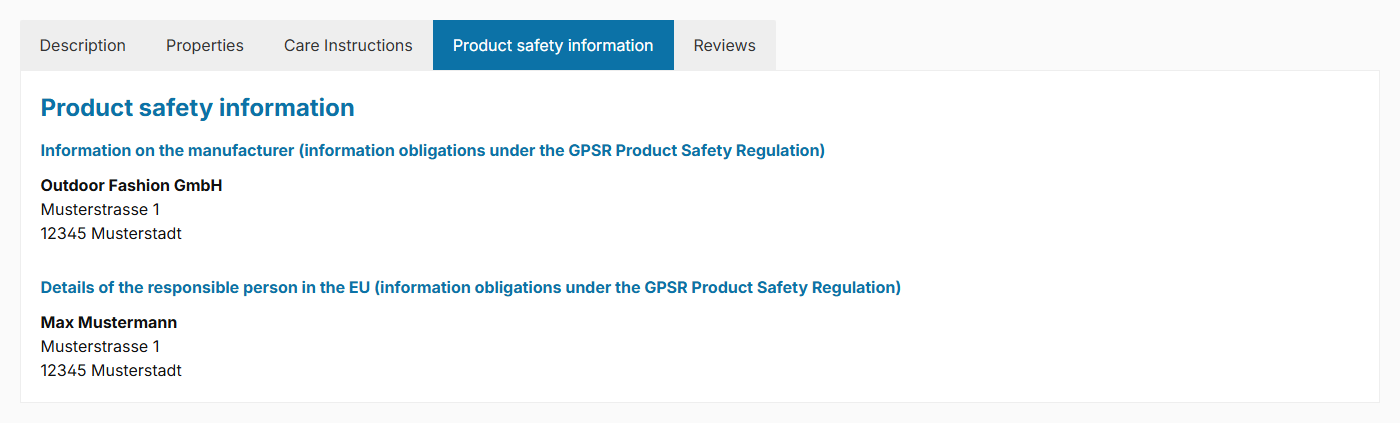
Configuration
Theme configuration
- Go to the "Product pages" tab
- Expand the "GPSR – Product safety (in tabs)" block
- Select the desired placement for the "Show product safety (GPSR)" configuration: "show in the description", "show in the manufacturer tab" or "show in a separate tab"
- In the "Basic configuration" section, use "Show manufacturer information (GPSR)" and "Show responsible person (GPSR)" to define which information is displayed
- Save your changes after editing
Note: "Show in the manufacturer tab" only takes effect if the manufacturer is displayed as its own tab.
GPSR information (custom field)
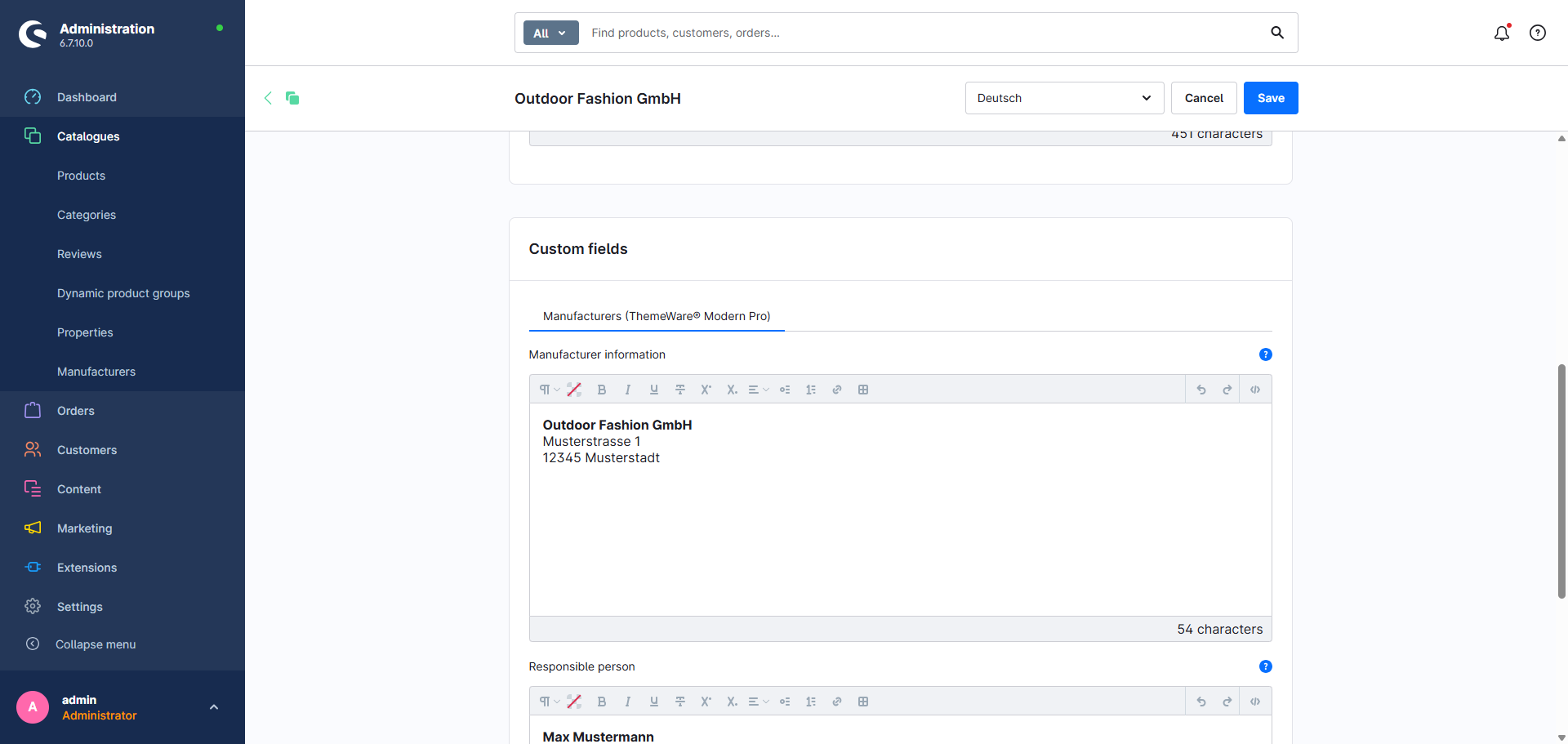
You maintain the GPSR information via custom fields on the manufacturer:
- Switch via the main navigation to the "Manufacturers" management ("Catalogues" => "Manufacturers")
- Choose the manufacturer you want to edit
- Scroll to the "Custom fields" block
- Select the tab (=set) for your theme (e.g. "Manufacturers (ThemeWare® Modern Pro)")
- Fill in the "Manufacturer information" and/or "Responsible person" fields
- Save your changes
Note: You can alternatively maintain the GPSR information directly on the product (Specifications ⇒ Custom fields). Information maintained on the product overwrites that of the manufacturer.
Options
- Show product safety (GPSR)
- Controls the placement of the GPSR information: "don't show", "show in the description", "show in the manufacturer tab" or "show in a separate tab".
- Show manufacturer information (GPSR) (section "Basic configuration")
- Shows or hides the manufacturer information ("show" / "don't show").
- Show responsible person (GPSR) (section "Basic configuration")
- Shows or hides the responsible person information ("show" / "don't show").
Custom fields
Manufacturer information (GPSR)Responsible person (GPSR)Snippets
The subheadlines apply in the description just as in the tab:
- Manufacturer information:
twt.detail.gpsr.manufacturerInformation.title - Responsible person:
twt.detail.gpsr.responsiblePerson.title
In both subheadlines the placeholder
%manufacturer%is replaced by the manufacturer name.
If the product safety is displayed in the manufacturer tab, the GPSR box there uses the headline twt.detail.gpsr.title.
Summary
Theme configuration
- Tab "Product pages" => Block "GPSR – Product safety (in tabs)" => Show product safety (GPSR)
- Tab "Product pages" => Block "GPSR – Product safety (in tabs)" => Section "Basic configuration" => Show manufacturer information (GPSR)
- Tab "Product pages" => Block "GPSR – Product safety (in tabs)" => Section "Basic configuration" => Show responsible person (GPSR)
Snippets
twt.detail.gpsr.manufacturerInformation.title(Subheadline manufacturer information)twt.detail.gpsr.responsiblePerson.title(Subheadline responsible person)twt.detail.gpsr.title(Headline of the GPSR box in the manufacturer tab)- All snippets at a glance: Snippets
Custom fields
- Manufacturer information (GPSR) (Manufacturers)
- Responsible person (GPSR) (Manufacturers)
- Manufacturer information (GPSR) (Products)
- Responsible person (GPSR) (Products)
Further information
You can find details on displaying it in its own tab here:
GPSR tabThe information can also appear in the manufacturer tab:
Manufacturer on product pages