
With the Slots you show additional details above and below the product name in the product box. There are two independent slots ("Slot above the product name" and "Slot below the product name"), each of which you fill freely with a source.
The following sources are available:
- Product number – the product number of the product
- Teaser text – a short, free text per product (custom field "Teaser text")
- Manufacturer – the manufacturer name
- Variant count – a hint like "+ 7 variations" on parent products with variants
The slots work independently of the "Show product number" / "Show manufacturer" options and can be combined freely.
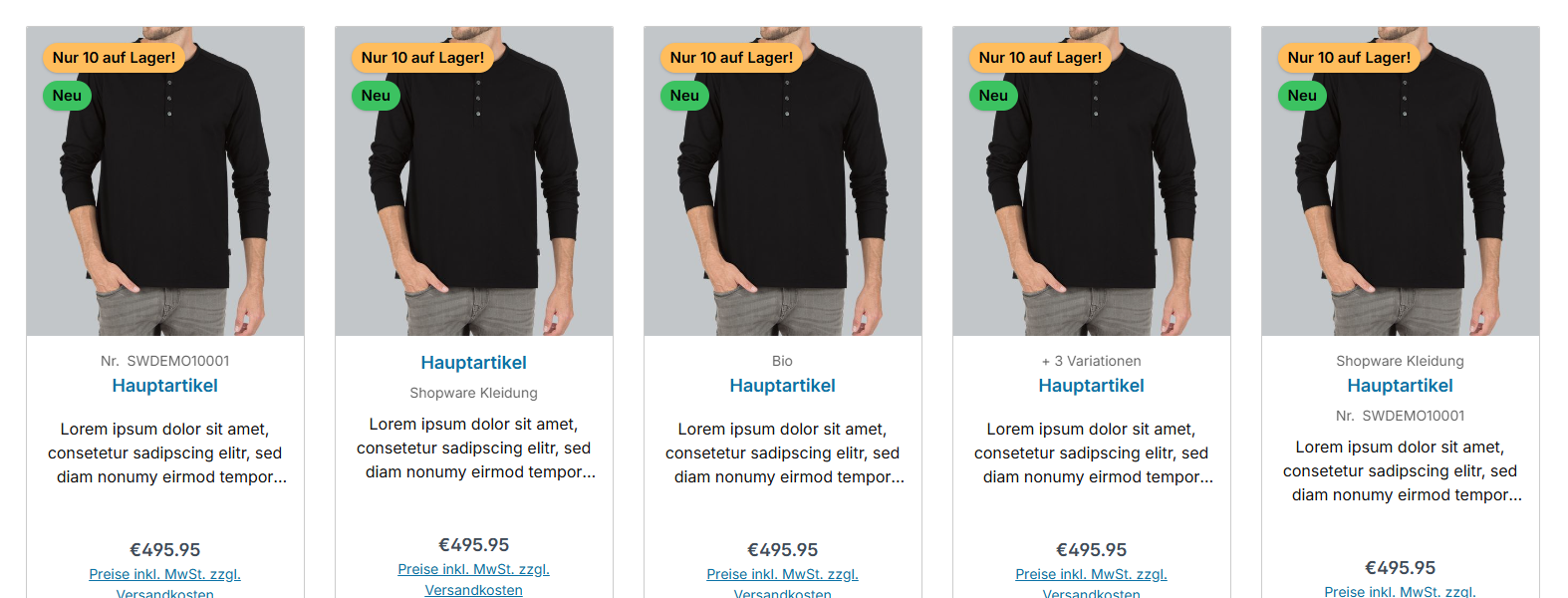
Note: A slot stays empty if the selected source is not available on the product – for example if the "Teaser text" custom field is not filled in or no manufacturer is maintained. The "Variant count" source only appears on parent products with variants.
Configuration
Theme configuration
- Go to the "Listing pages" tab
- Expand the "Product box" block
- Scroll to the section "Content"
- Set "Slot above the product name" and/or "Slot below the product name" to the desired source
- Save your changes after editing
Custom field
For the "Teaser text" source you maintain the text per product via the "Teaser text" custom field.
Snippets
You can adjust the texts of the "Product number" and "Variant count" sources via snippets:
twt.listing.ordernumberPrefix– prefix before the product number (default: "No.")twt.listing.variantCount– hint text for the variant count (default: "+ %count% variations")
Two placeholders are available in the "twt.listing.variantCount" snippet:
%count%– the number of further variants (e.g. "+ 7 variations")%countTotal%– the total number of variants (e.g. "available in 8 variations")
Summary
Theme configuration
- Tab "Listing pages" => Block "Product box" => Section "Content" => Slot above the product name
- Tab "Listing pages" => Block "Product box" => Section "Content" => Slot below the product name
- All settings in detail: Product box
Snippets
twt.listing.ordernumberPrefix(prefix before the product number)twt.listing.variantCount(hint text for the variant count)- All snippets at a glance: Snippets
Custom fields
- Teaser text (Products)
Further information
You can find more information about the "Teaser text" custom field here:
Teaser textYou can find an overview of all product box contents here:
Content