> For the complete documentation index, see [llms.txt](https://docs.themeware.design/llms.txt). Markdown versions of documentation pages are available by appending `.md` to page URLs; this page is available as [Markdown](https://docs.themeware.design/more-knowledge/fonts.md).

# Fonts

ThemeWare® comes with a selection of fonts. They sit on your own web server and are loaded from there – without an API and without a connection to third parties. This article shows you which fonts these are and how to fine-tune their size.

{% hint style="info" %}
**Note**: Everything about **Google Fonts** – how to check whether your shop loads fonts from Google, and how to change that – is collected in the ThemeWare® Knowledge Base:

<https://knowledge.themeware.design/more-knowledge/google-fonts>
{% endhint %}

## Bundled fonts

As the Google Fonts library now offers more than 900 fonts (over 5,000 fonts), we unfortunately cannot integrate all fonts into ThemeWare®.

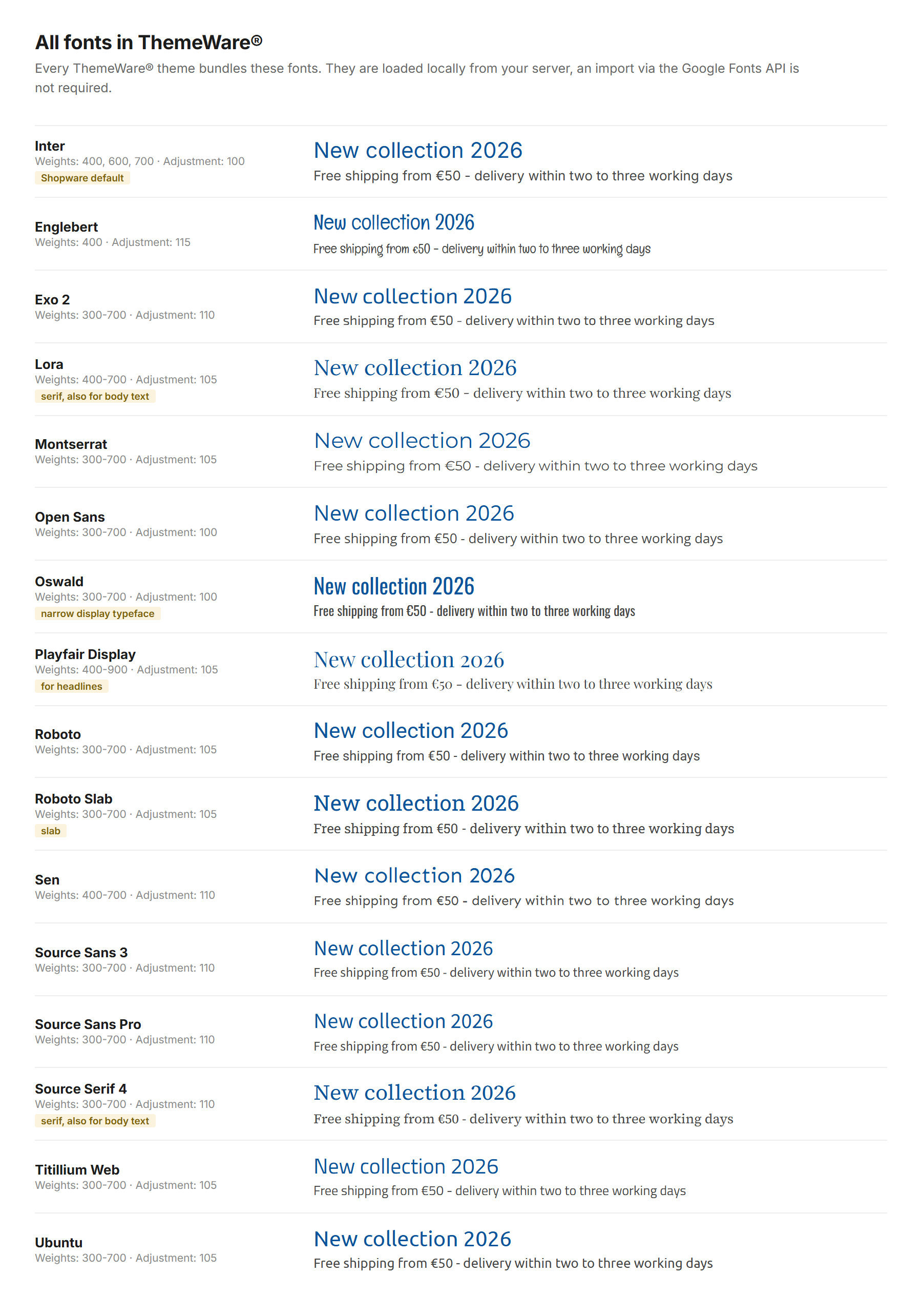
In ThemeWare®, all fonts used by ThemeWare® are part of every theme. This means that 14+1 fonts are available in each theme:
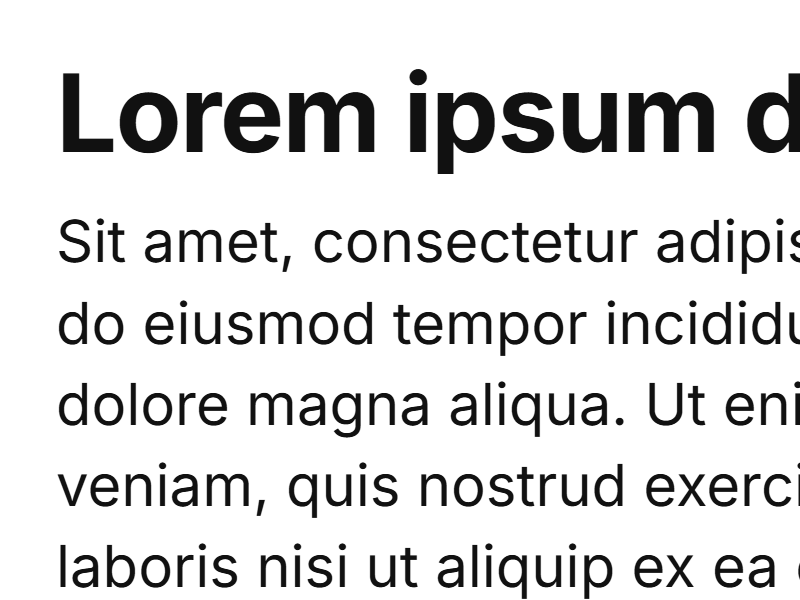
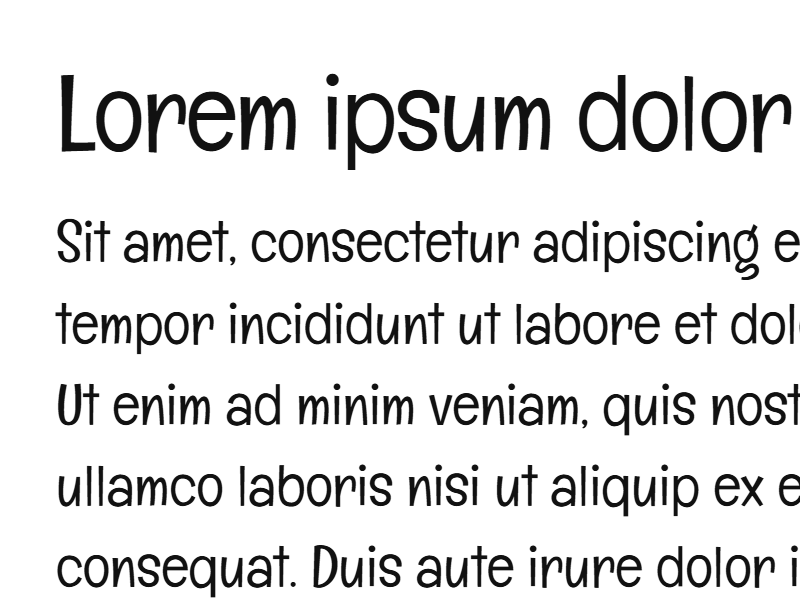
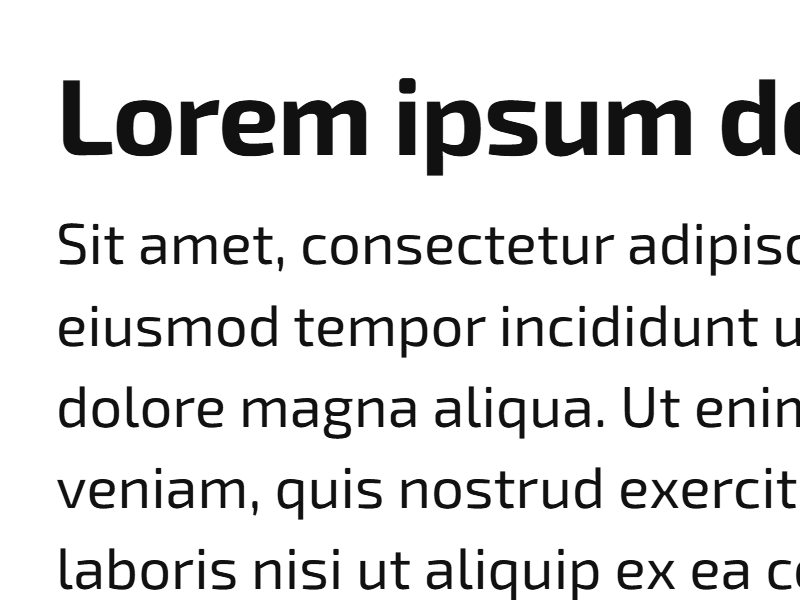
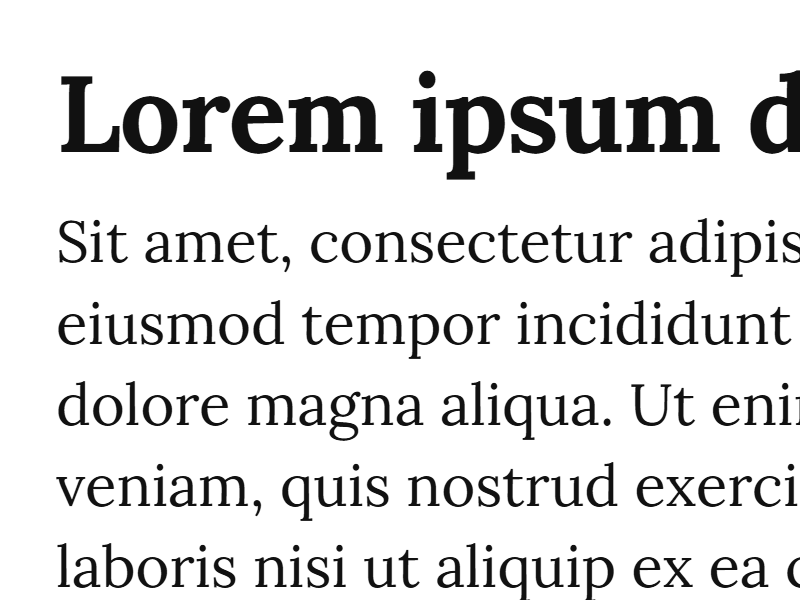
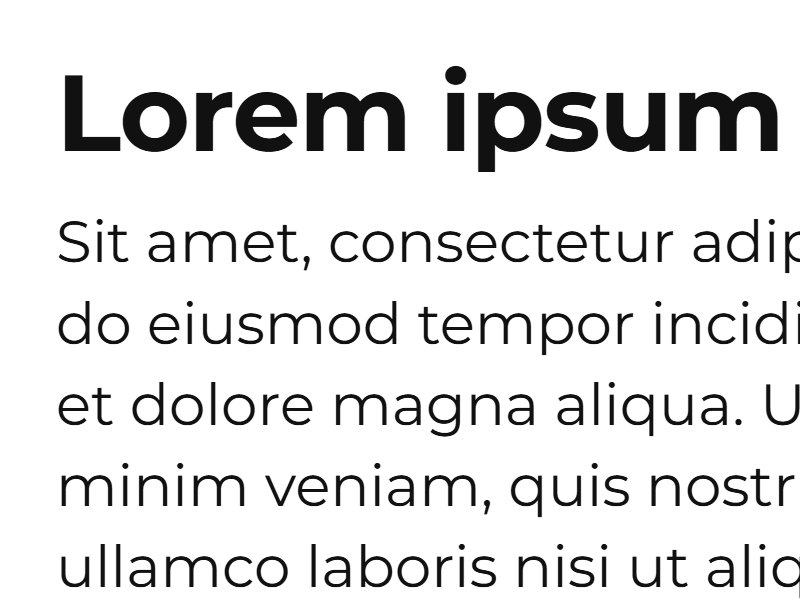
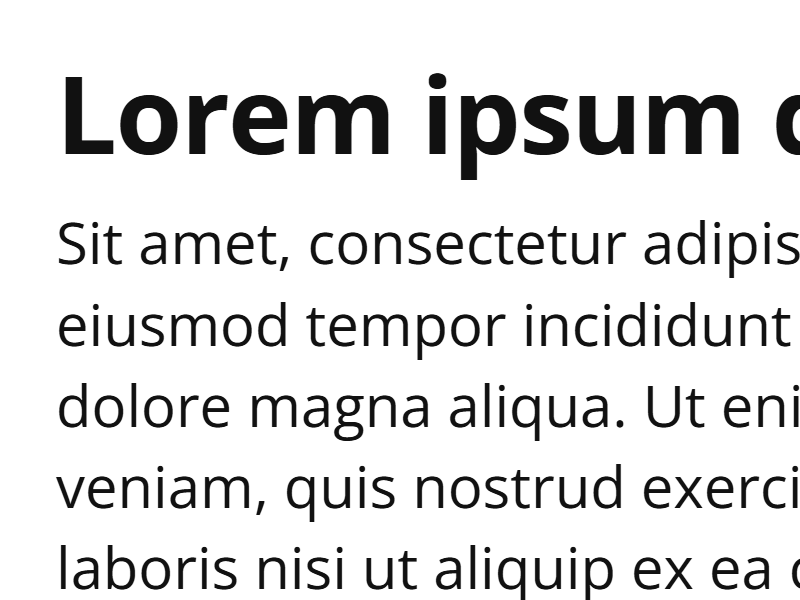
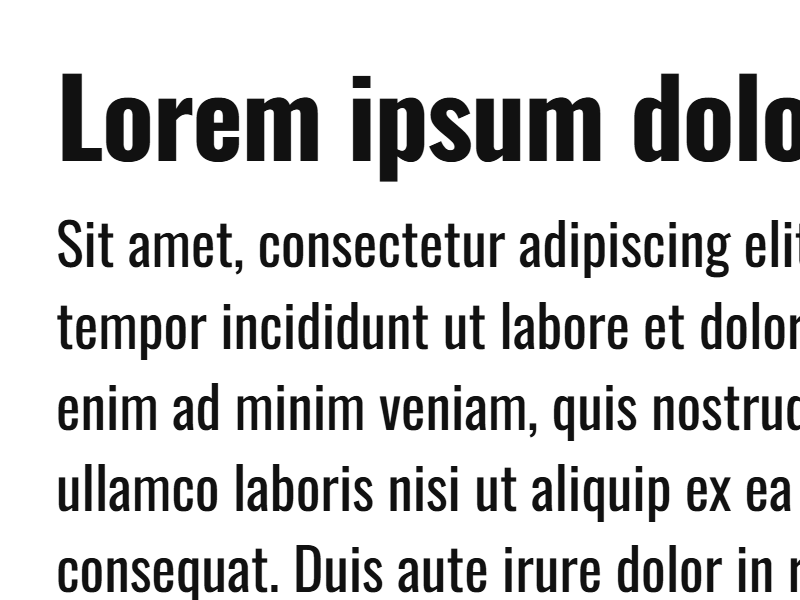
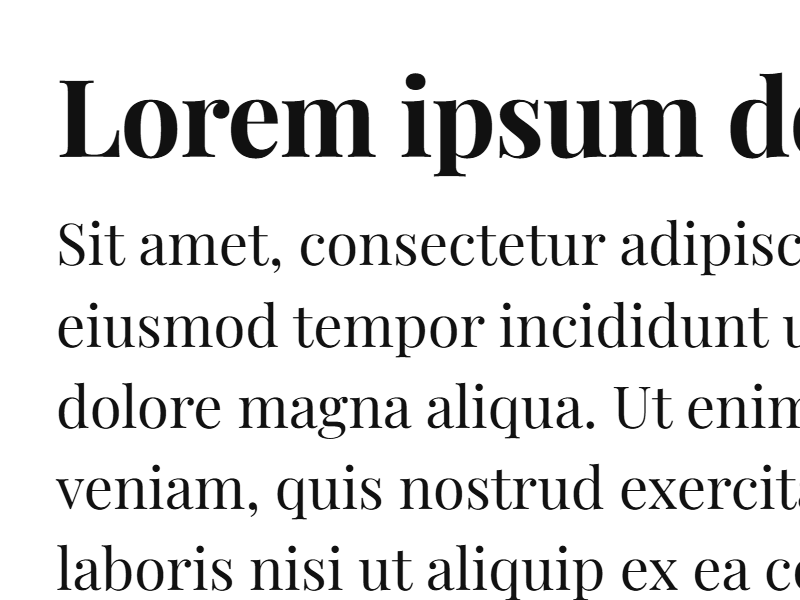
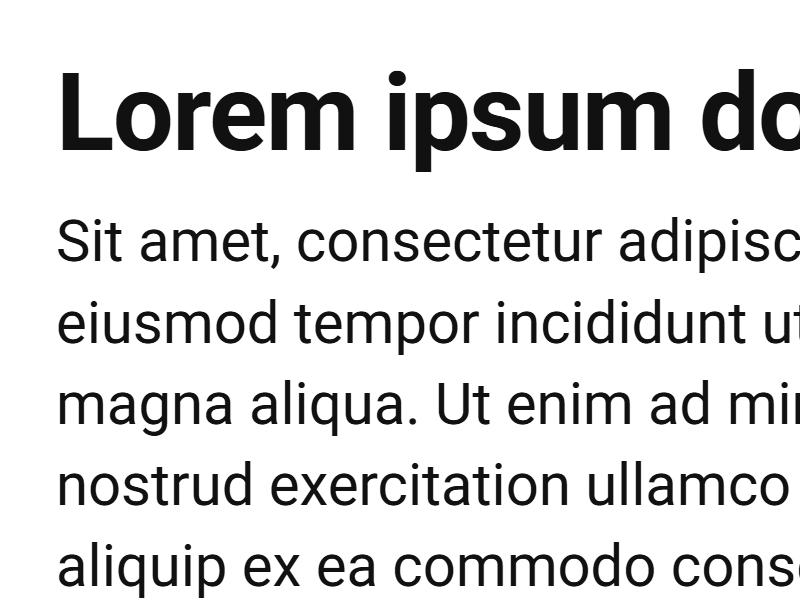
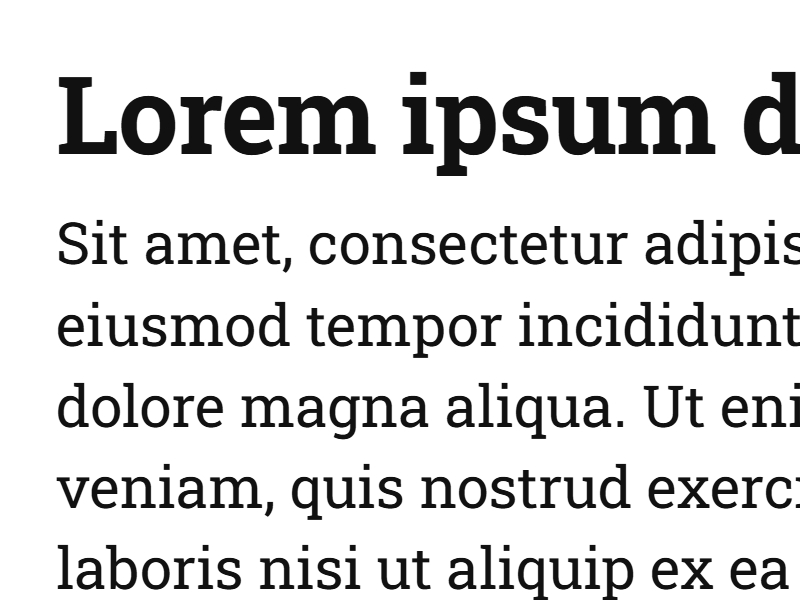
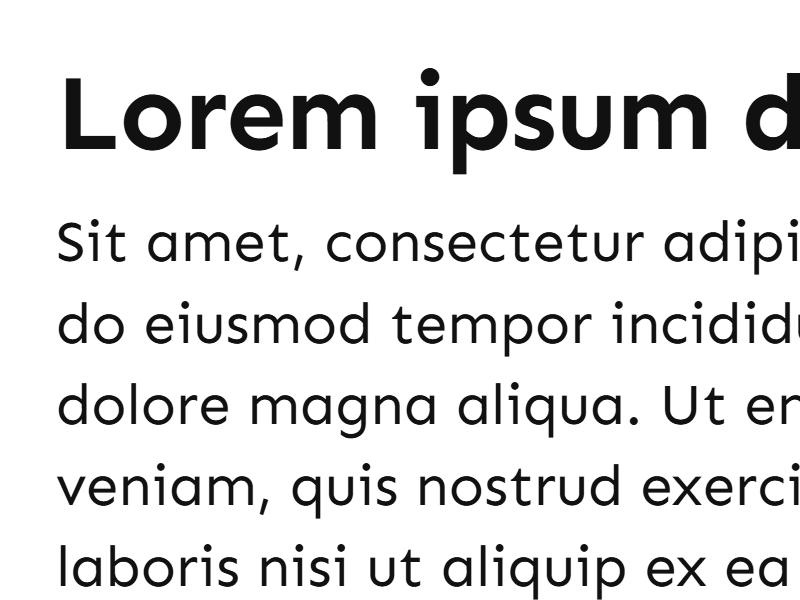
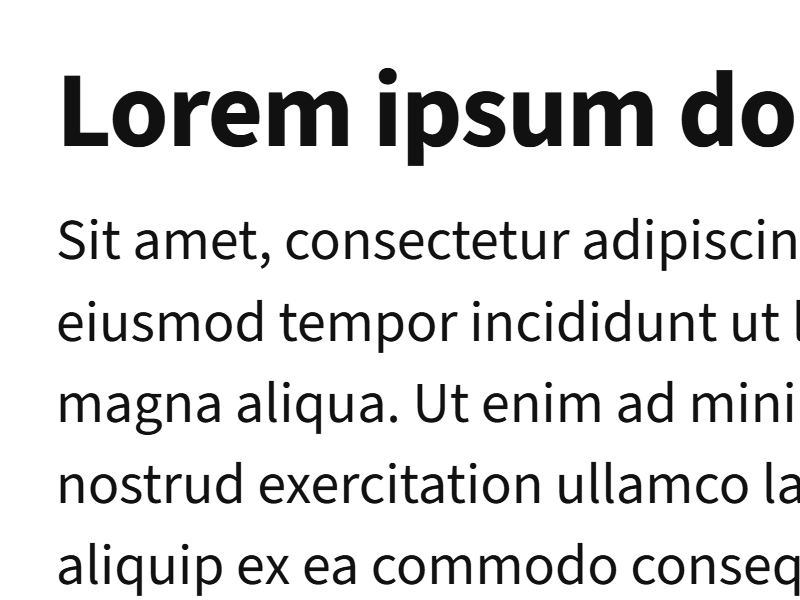
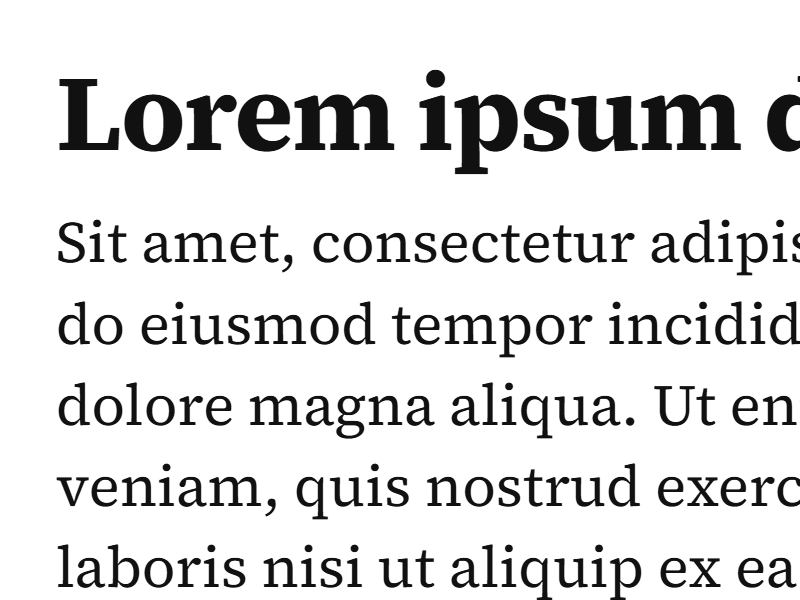
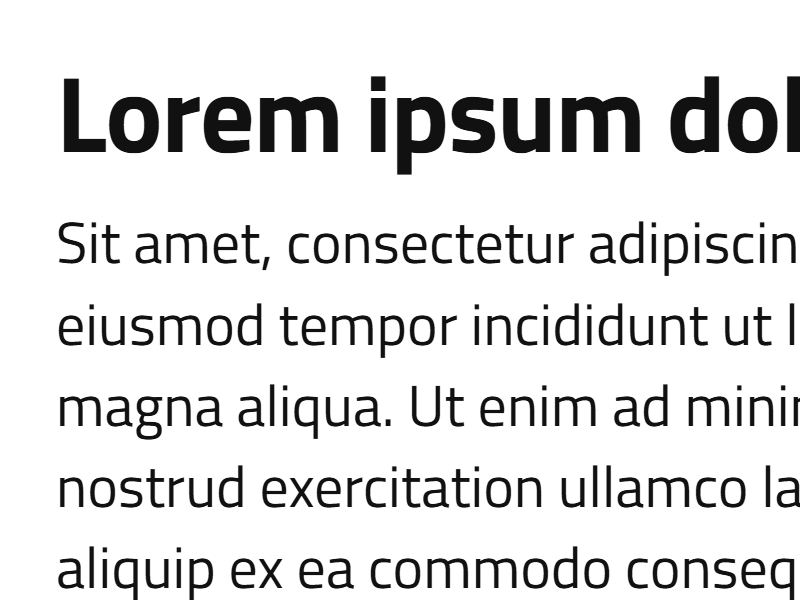
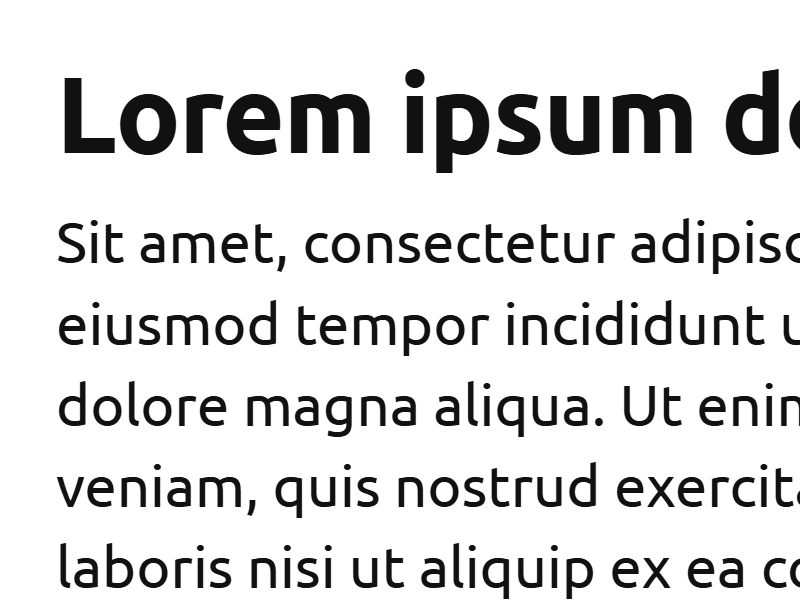
<table data-view="cards"><thead><tr><th></th><th></th><th></th><th></th><th data-hidden data-card-cover data-type="image">Cover image</th></tr></thead><tbody><tr><td><a href="https://fonts.google.com/specimen/Inter">Inter</a> (default)</td><td><strong>Fonttype</strong>: <code>'Inter', sans-serif</code></td><td><strong>Font weights</strong>: 400, 600, 700</td><td>e.g. ThemeWare® Modern</td><td><a href="https://3369454551-files.gitbook.io/~/files/v0/b/gitbook-x-prod.appspot.com/o/spaces%2FyzUEL0OiJhd4m6fQWdQe%2Fuploads%2FFuO64kwHx6Uqa5NMfge4%2Ftwt-font-inter.png?alt=media&amp;token=89994d91-ae28-4ecf-9bdc-1fa3e1c55fa5">twt-font-inter.png</a></td></tr><tr><td><a href="https://fonts.google.com/specimen/Englebert">Englebert</a></td><td><strong>Fonttype</strong>: <code>'Englebert', sans-serif</code></td><td><strong>Font weight</strong>: 400</td><td>e.g. ThemeWare® Bio</td><td><a href="https://3369454551-files.gitbook.io/~/files/v0/b/gitbook-x-prod.appspot.com/o/spaces%2FyzUEL0OiJhd4m6fQWdQe%2Fuploads%2FcAfmgSulB0DX2nI4WZaL%2Ftwt-font-englebert.png?alt=media&amp;token=fbcd4876-3f20-4b07-a2a3-48e137beaafe">twt-font-englebert.png</a></td></tr><tr><td><a href="https://fonts.google.com/specimen/Exo+2">Exo 2</a></td><td><strong>Fonttype</strong>: <code>'Exo 2', sans-serif</code></td><td><strong>Font weights</strong>: 300, 400, 500, 600, 700</td><td>e.g. ThemeWare® Bike</td><td><a href="https://3369454551-files.gitbook.io/~/files/v0/b/gitbook-x-prod.appspot.com/o/spaces%2FyzUEL0OiJhd4m6fQWdQe%2Fuploads%2FY3bfgEWpWePewRBRMKU7%2Ftwt-font-exo-2.png?alt=media&amp;token=9293f837-325d-4b6d-b476-54488ba7ad30">twt-font-exo-2.png</a></td></tr><tr><td><a href="https://fonts.google.com/specimen/Lora">Lora</a></td><td><strong>Fonttype</strong>: <code>'Lora', serif</code></td><td><strong>Font weights</strong>: 400, 500, 600, 700</td><td><strong>New v5.2.0</strong><br>serif, also for body text</td><td><a href="https://3369454551-files.gitbook.io/~/files/v0/b/gitbook-x-prod.appspot.com/o/spaces%2FyzUEL0OiJhd4m6fQWdQe%2Fuploads%2FCATacqow6jxETka6vckW%2Ftwt-font-lora.png?alt=media&amp;token=c2ea39ab-580e-43f9-822e-2bd29b7feaec">twt-font-lora.png</a></td></tr><tr><td><a href="https://fonts.google.com/specimen/Montserrat">Montserrat</a></td><td><strong>Fonttype</strong>: <code>'Montserrat', sans-serif</code></td><td><strong>Font weights</strong>: 300, 400, 500, 600, 700</td><td>e.g. ThemeWare® Clean</td><td><a href="https://3369454551-files.gitbook.io/~/files/v0/b/gitbook-x-prod.appspot.com/o/spaces%2FyzUEL0OiJhd4m6fQWdQe%2Fuploads%2F2p0wHMpR1oTSYMR68FzA%2Ftwt-font-montserrat.png?alt=media&amp;token=8769a44d-9eb8-4542-8677-04c0e05a2d98">twt-font-montserrat.png</a></td></tr><tr><td><a href="https://fonts.google.com/specimen/Open+Sans">Open Sans</a></td><td><strong>Fonttype</strong>: <code>'Open Sans', sans-serif</code></td><td><strong>Font weights</strong>: 300, 400, 500, 600, 700</td><td>e.g. ThemeWare® Living</td><td><a href="https://3369454551-files.gitbook.io/~/files/v0/b/gitbook-x-prod.appspot.com/o/spaces%2FyzUEL0OiJhd4m6fQWdQe%2Fuploads%2FPekkrRxtHfoo9SLYtgtZ%2Ftwt-font-open-sans.png?alt=media&amp;token=e6dcac8e-0b85-4cc6-825d-175fc36f8f27">twt-font-open-sans.png</a></td></tr><tr><td><a href="https://fonts.google.com/specimen/Oswald">Oswald</a></td><td><strong>Fonttype</strong>: <code>'Oswald', sans-serif</code></td><td><strong>Font weights</strong>: 300, 400, 500, 600, 700</td><td>e.g. ThemeWare® Strong</td><td><a href="https://3369454551-files.gitbook.io/~/files/v0/b/gitbook-x-prod.appspot.com/o/spaces%2FyzUEL0OiJhd4m6fQWdQe%2Fuploads%2F8tJrzL4aJkhqoPPtCzLB%2Ftwt-font-oswald.png?alt=media&amp;token=cee3eca8-ead9-41d1-9511-ed684d461d0c">twt-font-oswald.png</a></td></tr><tr><td><a href="https://fonts.google.com/specimen/Playfair+Display">Playfair Display</a></td><td><strong>Fonttype</strong>: <code>'Playfair Display', serif</code></td><td><strong>Font weights</strong>: 400, 500, 600, 700, 800, 900</td><td><strong>New v5.2.0</strong><br>for headlines</td><td><a href="https://3369454551-files.gitbook.io/~/files/v0/b/gitbook-x-prod.appspot.com/o/spaces%2FyzUEL0OiJhd4m6fQWdQe%2Fuploads%2FcqtW1r4XGD64gxvjyLGM%2Ftwt-font-playfair-display.png?alt=media&amp;token=c767f59d-a28b-45f1-9fc5-1e2defb3332d">twt-font-playfair-display.png</a></td></tr><tr><td><a href="https://fonts.google.com/specimen/Roboto">Roboto</a></td><td><strong>Fonttype</strong>: <code>'Roboto', sans-serif</code></td><td><strong>Font weights</strong>: 300, 400, 500, 600, 700</td><td>e.g. ThemeWare® Strong</td><td><a href="https://3369454551-files.gitbook.io/~/files/v0/b/gitbook-x-prod.appspot.com/o/spaces%2FyzUEL0OiJhd4m6fQWdQe%2Fuploads%2FUlE9y0VN8kpUqxJKIhdB%2Ftwt-font-roboto.png?alt=media&amp;token=8d4bf1b6-9490-4884-9f59-b3f21d98b725">twt-font-roboto.png</a></td></tr><tr><td><a href="https://fonts.google.com/specimen/Roboto+Slab">Roboto Slab</a></td><td><strong>Fonttype</strong>: <code>'Roboto Slab', sans-serif</code></td><td><strong>Font weights</strong>: 300, 400, 500, 600, 700</td><td>e.g. ThemeWare® Bath</td><td><a href="https://3369454551-files.gitbook.io/~/files/v0/b/gitbook-x-prod.appspot.com/o/spaces%2FyzUEL0OiJhd4m6fQWdQe%2Fuploads%2F8Om7YHfJExHbwpmzTbu0%2Ftwt-font-roboto-slab.png?alt=media&amp;token=7bf0210b-07df-4c9d-be3d-4a0f61f62b81">twt-font-roboto-slab.png</a></td></tr><tr><td><a href="https://fonts.google.com/specimen/Sen">Sen</a></td><td><strong>Fonttype</strong>: <code>'Sen', sans-serif</code></td><td><strong>Font weights</strong>: 400, 500, 600, 700</td><td><strong>New v5.2.0</strong></td><td><a href="https://3369454551-files.gitbook.io/~/files/v0/b/gitbook-x-prod.appspot.com/o/spaces%2FyzUEL0OiJhd4m6fQWdQe%2Fuploads%2Fo0QKq9UfUzRk2k1rrG1V%2Ftwt-font-sen.png?alt=media&amp;token=8f7e3d2f-5231-4bdb-a0b2-b56d2069e9cb">twt-font-sen.png</a></td></tr><tr><td><a href="https://fonts.google.com/specimen/Source+Sans+3">Source Sans 3</a></td><td><strong>Fonttype</strong>: <code>'Source Sans 3', sans-serif</code></td><td><strong>Font weights</strong>: 300, 400, 500, 600, 700</td><td>e.g. ThemeWare® Living</td><td><a href="https://3369454551-files.gitbook.io/~/files/v0/b/gitbook-x-prod.appspot.com/o/spaces%2FyzUEL0OiJhd4m6fQWdQe%2Fuploads%2FQntHqyxEd0tsrTpyfEDc%2Ftwt-font-source-sans-3.png?alt=media&amp;token=c19d3711-9704-4f5c-9629-8a792678ded6">twt-font-source-sans-3.png</a></td></tr><tr><td><a href="https://fonts.google.com/specimen/Source+Serif+4">Source Serif 4</a></td><td><strong>Fonttype</strong>: <code>'Source Serif 4', serif</code></td><td><strong>Font weights</strong>: 300, 400, 500, 600, 700</td><td><strong>New v5.2.0</strong><br>serif, also for body text</td><td><a href="https://3369454551-files.gitbook.io/~/files/v0/b/gitbook-x-prod.appspot.com/o/spaces%2FyzUEL0OiJhd4m6fQWdQe%2Fuploads%2FDs1jypbonygkCNc6vlgo%2Ftwt-font-source-serif-4.png?alt=media&amp;token=981647a3-4d07-460e-afc2-0770b0474947">twt-font-source-serif-4.png</a></td></tr><tr><td><a href="https://fonts.google.com/specimen/Titillium+Web">Titillium Web</a></td><td><strong>Fonttype</strong>: <code>'Titillium Web', sans-serif</code></td><td><strong>Font weights</strong>: 300, 400, 600, 700</td><td>e.g. ThemeWare® Lights</td><td><a href="https://3369454551-files.gitbook.io/~/files/v0/b/gitbook-x-prod.appspot.com/o/spaces%2FyzUEL0OiJhd4m6fQWdQe%2Fuploads%2FI7I1MORM5W8BlKTc8qVH%2Ftwt-font-titillium-web.png?alt=media&amp;token=0841cd38-ce35-4d6a-a38b-86229d2054c5">twt-font-titillium-web.png</a></td></tr><tr><td><a href="https://fonts.google.com/specimen/Ubuntu">Ubuntu</a></td><td><strong>Fonttype</strong>: <code>'Ubuntu', sans-serif</code></td><td><strong>Font weights</strong>: 300, 400, 500, 700</td><td>e.g. ThemeWare® Outdoor</td><td><a href="https://3369454551-files.gitbook.io/~/files/v0/b/gitbook-x-prod.appspot.com/o/spaces%2FyzUEL0OiJhd4m6fQWdQe%2Fuploads%2FFVszm4ia0kpmIwz0AKBP%2Ftwt-font-ubuntu.png?alt=media&amp;token=58d91d79-b213-48ed-a7b7-fdade6f28072">twt-font-ubuntu.png</a></td></tr><tr><td>Further fonts will follow later...</td><td></td><td></td><td></td><td></td></tr></tbody></table>

{% hint style="info" %}
**A note on "Source Sans Pro"**: Adobe has retired this font, and it is no longer listed on Google Fonts. Its successor is **Source Sans 3** - the same design, still maintained.

If you keep using `'Source Sans Pro', sans-serif`, it continues to work: ThemeWare® serves the Source Sans 3 files for it. For new shops, `'Source Sans 3', sans-serif` is the value to use.
{% endhint %}

<figure><img src="https://3369454551-files.gitbook.io/~/files/v0/b/gitbook-x-prod.appspot.com/o/spaces%2FyzUEL0OiJhd4m6fQWdQe%2Fuploads%2FN7swyF57LJAB0X25OmLV%2Ftwt-schriften-uebersicht-en.png?alt=media&amp;token=5a16522e-1afe-4f5f-983e-1dab489b2953" alt=""><figcaption><p>All fonts bundled with ThemeWare®</p></figcaption></figure>

ThemeWare® automatically checks whether a locally available "default font" has been specified in the configuration fields for the fonttype. If this is the case, it is loaded directly from your own server ("locally") in compliance with the GDPR.

Please note which fonts are included in ThemeWare® (see the overview above) and which configuration values you should ideally use – for example: `'Open Sans', sans-serif`

> ThemeWare® font configuration can be found here:
>
> * Tab "Layout" => Block "Typography" => Section "Text" => Fonttype
> * Tab "Layout" => Block "Typography" => Section "Headlines" => Fonttype

If you specify a font that is not part of ThemeWare® and has not been embedded manually, the browser will use a so-called "fallback font" instead – this is a system font that is available locally on the visitor's device (e.g. Arial, Helvetica or Times New Roman).

## Size adjustment per font

Not every font looks the same size at the same font size. Some typefaces draw their letters lower or narrower than others and therefore look smaller, without anything being wrong with the font size itself.

That is what the size adjustment is for - one field each for the text and the headline font:

Tab "Layout" => Block "Typography" => Section "Text" => "Size adjustment"

Tab "Layout" => Block "Typography" => Section "Headlines" => "Size adjustment"

The value belongs to the font, not to the role: it applies everywhere that font appears in your shop. If you enter the same font in both fields, there is only one font and therefore only one value: whichever field you filled in is the one that counts. If both fields hold different values, the one from the "Text" section applies.

### Reference values

The following values are starting points, measured against Inter as the reference font. The default is always `100`, so nothing changes in existing shops unless you enter something.

| Font             | Reference value | Why                                                      |
| ---------------- | --------------- | -------------------------------------------------------- |
| Inter            | `100`           | reference font - comes from Shopware, cannot be adjusted |
| Englebert        | `115`           | runs narrow and therefore looks small                    |
| Exo 2            | `110`           | small x-height                                           |
| Lora             | `105`           | small x-height                                           |
| Montserrat       | `105`           | -                                                        |
| Open Sans        | `100`           | -                                                        |
| Oswald           | `100`           | narrow display typeface, intentionally so                |
| Playfair Display | `105`           | -                                                        |
| Roboto           | `105`           | -                                                        |
| Roboto Slab      | `105`           | -                                                        |
| Sen              | `110`           | small cap height                                         |
| Source Sans 3    | `110`           | small cap height                                         |
| Source Serif 4   | `110`           | small cap height                                         |
| Titillium Web    | `105`           | -                                                        |
| Ubuntu           | `105`           | -                                                        |

{% hint style="warning" %}
The adjustment enlarges the letters, not the areas around them. A button or a badge keeps its height, because the line height follows the font size and that stays unchanged. The text grows, the distance to the edge shrinks. The width does grow along with it - after a change, check buttons, badges and the navigation.

Values from `75` to `125` are possible. From around `120` onwards, the lines of multi-line body text visibly move closer together, because the line spacing stays unchanged as well.
{% endhint %}

{% hint style="info" %}
The size adjustment does not apply to **Inter**: this font comes from Shopware itself, and we do not write anything into its declaration. It likewise does not apply when "Import Google Fonts" is enabled or when you embed a font of your own.
{% endhint %}

## Using your own fonts

If you would like to use a font that ThemeWare® does not include, you embed it locally on your web server. You will find the matching tutorials in the ThemeWare® Knowledge Base:

{% embed url="<https://knowledge.themeware.design/knowledge-base/tutorials/fonts>" %}
ThemeWare® Knowledge Base => Fonts
{% endembed %}

#### Further information

* Knowledge Base: [Google Fonts](https://knowledge.themeware.design/more-knowledge/google-fonts)
* Basic knowledge: [Font configuration](https://knowledge.themeware.design/knowledge-base/basic-knowledge/font-configuration)
* Introduction: [Configuring fonts](https://knowledge.themeware.design/knowledge-base/introduction/configuring-fonts)
* Tutorial: [Embedding fonts locally](https://knowledge.themeware.design/knowledge-base/tutorials/fonts/embedding-fonts-locally)
* Tutorial: [Embedding fonts locally using the ThemeWare® Customizing Plugin](https://knowledge.themeware.design/knowledge-base/tutorials/fonts/embedding-fonts-locally-using-the-themeware-customizing-plugin)