
The GPSR tab displays the product safety information under the GPSR – the manufacturer information and the responsible person – in a separate tab on the product page.
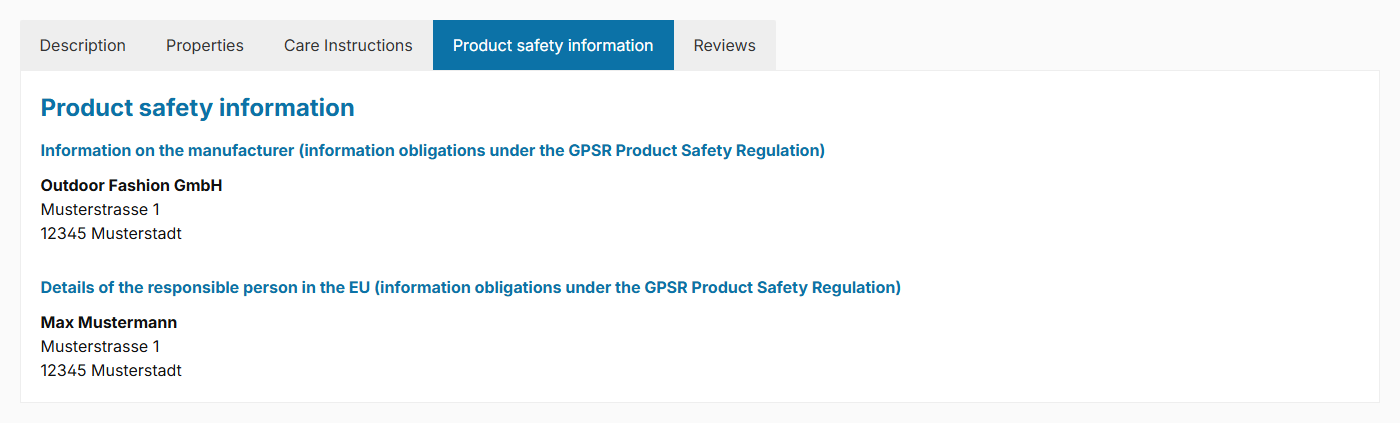
GPSR information in a separate tab
The basics, the custom fields and the other placements (in the description or in the manufacturer tab) are described in the general extension:
GPSR information on product pagesNote: The tab is displayed if the "Show product safety (GPSR)" configuration is set to "show in a separate tab" and the corresponding custom fields on the manufacturer or product are filled.
Configuration
Theme configuration
- Go to the "Product pages" tab
- Expand the "GPSR – Product safety (in tabs)" block
- Select the option "show in a separate tab" for the "Show product safety (GPSR)" configuration
- Save your changes after editing
Content
The tab shows the GPSR information of the respective manufacturer or product. The content itself (manufacturer information, responsible person) and the custom fields are described in the general extension (see above). The following texts are specific to the tab:
Title
The label of the tab is based on the snippet twt.detail.tabGpsr.title.
Headline
A separate headline is displayed within the tab. You edit the text using the snippet twt.detail.tabGpsr.headline (%manufacturer% is replaced by the manufacturer name, %product% by the product name).
Note: For information on how to edit snippets, see the following instructions: Texts: Editing and translation
Tip: If a change does not affect the storefront, just clear the Shopware cache: Clearing / warming up the Shopware cache
Options
This option is specific to the tab:
- Show headline (block "Tab "GPSR"" => section "Basic configuration")
- Shows or hides the headline within the GPSR tab ("show" / "don't show").
Which information is displayed and how you maintain the custom fields is described in the general extension (see above).
Summary
Theme configuration
- Tab "Product pages" => Block "GPSR – Product safety (in tabs)" => Show product safety (GPSR)
- Tab "Product pages" => Block "Tab "GPSR"" => Section "Basic configuration" => Show headline
Snippets
twt.detail.tabGpsr.title(Title)twt.detail.tabGpsr.headline(Headline)- All snippets at a glance: Snippets
Custom fields
- Manufacturer information (GPSR) (Manufacturers)
- Responsible person (GPSR) (Manufacturers)
- Manufacturer information (GPSR) (Products)
- Responsible person (GPSR) (Products)