
The "Flyout" custom field set controls the "ThemeWare® Flyout" of the top navigation per category. You can override the theme configuration for an individual category and display up to 3 teasers (image, text, link) next to the subcategories within the flyout.
Tip: General and global flyout settings can be found in the theme configuration.
Guide: You can find a step-by-step guide in the ThemeWare® Wiki: Setting up the Mega Menu
Custom fields
You can find the "Flyout" custom fields in the respective category:
Tab "General" ⇒ Block "Custom fields" ⇒ Tab (Set) "Flyout (... Pro)"
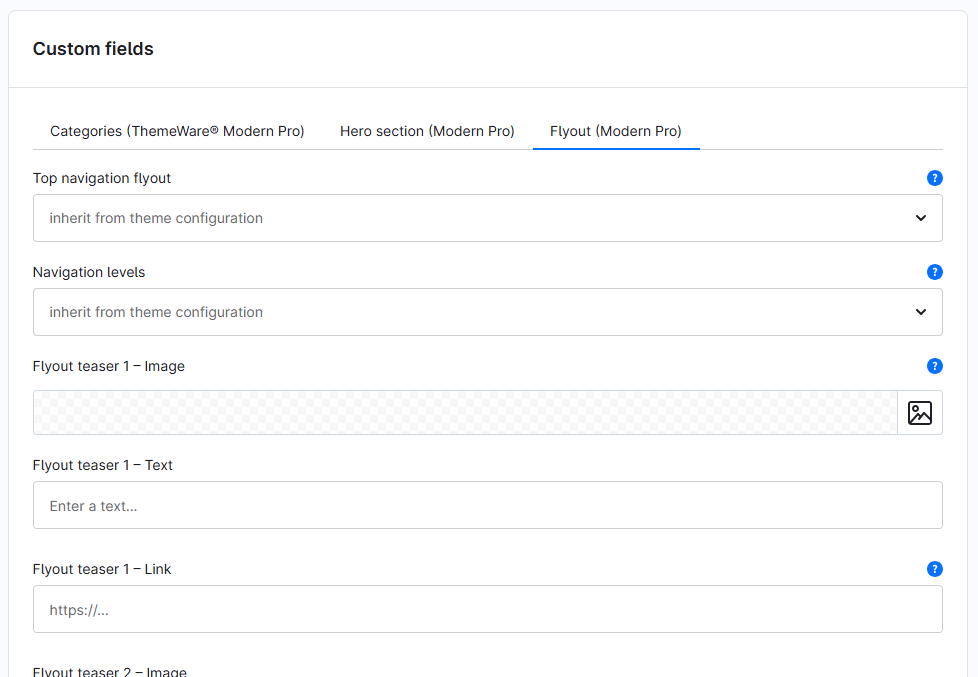
Overview
- Top navigation flyout – overrides the flyout mode for this category
- Navigation levels – overrides the number of navigation levels for this category
- Flyout teaser 1-3 – Image
- Flyout teaser 1-3 – Text
- Flyout teaser 1-3 – Link
Theme configuration
You can find the general and global settings in the theme configuration:
Tab "Header" => Block "Top navigation flyout"
More on this under Top navigation flyout.