
You can show a short text above the price on the product page, e.g. "Our online price". You maintain the text via a snippet for all products or via a custom field per product. For products with a list price (offers) you can choose a text of their own, e.g. "Winter sale".
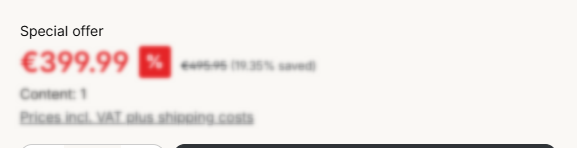
Note: The price label appears above a single price. It is not shown with tiered prices (price table).
Configuration
Theme configuration
- Go to the "Product pages" tab
- Expand the "Buy box" block
- In the "Price label" section, choose under "Show price label" where the text comes from
- Under "Price label with list price", define what appears for offers
- Save your changes after editing
Note: You can find more information about the corresponding custom field in the article Price label.
Show price label
- don't show: Products without a list price show no price label.
- Snippet: All products show the text from the snippet
twt.detail.priceLabel. - Custom field: Only products with a maintained "Price label" custom field show a price label.
- Custom field or snippet: The custom field takes priority, if it is empty, the snippet appears.

Price label from snippet, own snippet with list price and custom field
Price label with list price
- don't show: Products with a list price show no price label.
- inherited (like price label): Products with a list price behave like all other products.
- individual snippet: Products with a list price show the text from the snippet
twt.detail.priceLabelListPrice, even if a custom field is maintained.
Tip: To show the price label for offers only, set "Show price label" to "don't show" and "Price label with list price" to "individual snippet".
Content
- You can adjust the text for all products via the following snippet:
twt.detail.priceLabel
- You can adjust the text for products with a list price via the following snippet:
twt.detail.priceLabelListPrice
- You maintain a text of its own per product in the product under Tab "Specifications" => Block "Custom fields" => Tab (Set) "Products (ThemeWare® ... Pro)" => "Price label".
Note: For information on how to edit snippets, see the following instructions: Texts: Editing and translation
Tip: If a change does not affect the storefront, just clear the Shopware cache: Clearing / warming up the Shopware cache
Custom fields
Price labelSummary
Theme configuration
- Tab "Product pages" => Block "Buy box" => Section "Price label" => Show price label
- Tab "Product pages" => Block "Buy box" => Section "Price label" => Price label with list price
- All settings in detail: Buybox
Snippets
twt.detail.priceLabel(Price label)twt.detail.priceLabelListPrice(Price label with list price)- All snippets at a glance: Snippets
Custom fields
- Price label (Products)