
> For the complete documentation index, see [llms.txt](https://docs.themeware.design/llms.txt). Markdown versions of documentation pages are available by appending `.md` to page URLs; this page is available as [Markdown](https://docs.themeware.design/additional-features/custom-fields/products/symbols.md).

# Symbols

With the "Symbols" custom fields you can maintain up to three individual product symbols (Symbol 1–3, each with an optional title), which are displayed on the product page via the ThemeWare® "Product symbols" extension. Optionally, you can add a description text.

{% hint style="success" %}
**Tip**: For symbols that are used on several products (e.g. care symbols or seals), it is better to use a property with an image and the property group setting [Show as product symbol](/additional-features/custom-fields/properties/show-as-product-symbol.md).
{% endhint %}

## Custom fields

You can find the "Symbols" custom fields in the respective product:

> Tab "Specifications" ⇒ Block "Custom fields" ⇒ Tab (Set) "Product symbols (... Pro)"
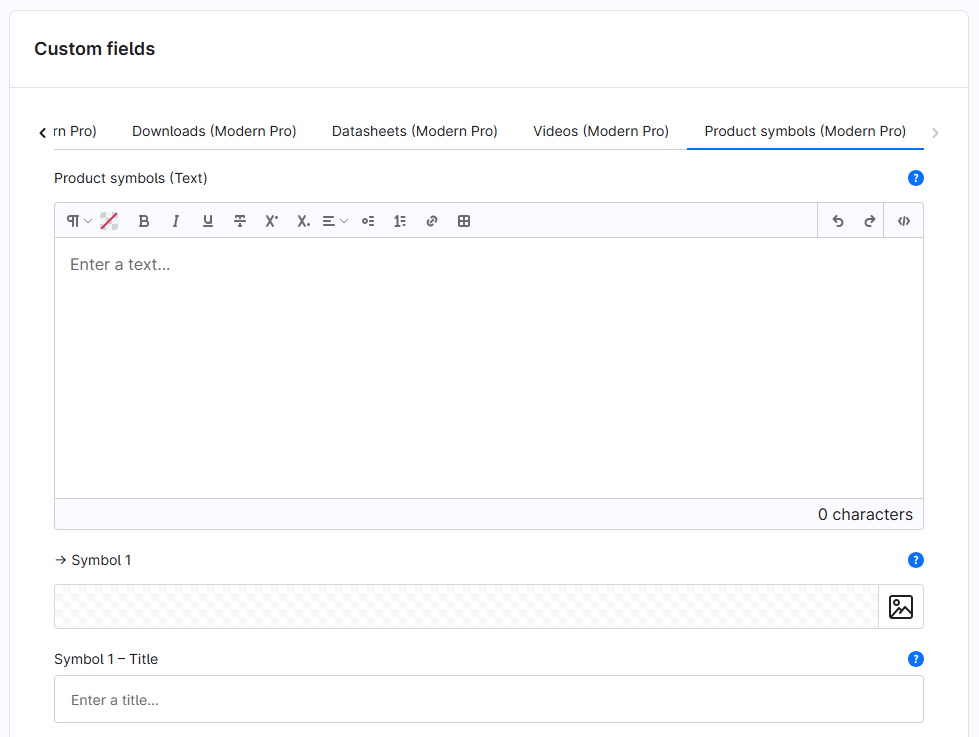
<figure><img src="/files/Hppk0cxUuR5eq3lTx2fH" alt=""><figcaption></figcaption></figure>

The individual custom fields:

* [Product symbols (Text)](/additional-features/custom-fields/products/symbols/product-symbols-text.md)
* [Symbol 1-3](/additional-features/custom-fields/products/symbols/symbol-1-3.md)
* [Symbol 1-3 – Title](/additional-features/custom-fields/products/symbols/symbol-1-3-title.md)

***

## Further information

{% content-ref url="/pages/vAl96HiS3niSH3lDXjeX" %}
[Product symbols](/additional-features/extensions/product-symbols.md)
{% endcontent-ref %}
