
With these settings you highlight topsellers in the listing, that is products with the Shopware option "Highlight product". You choose a border, a border with a gradient or a gradient that rotates around the box, and can add a background colour of its own and a glow. On hover, border, glow and background switch to their @hover colours. The highlighting also works in the list view, in product sliders and when the topseller badge is hidden.
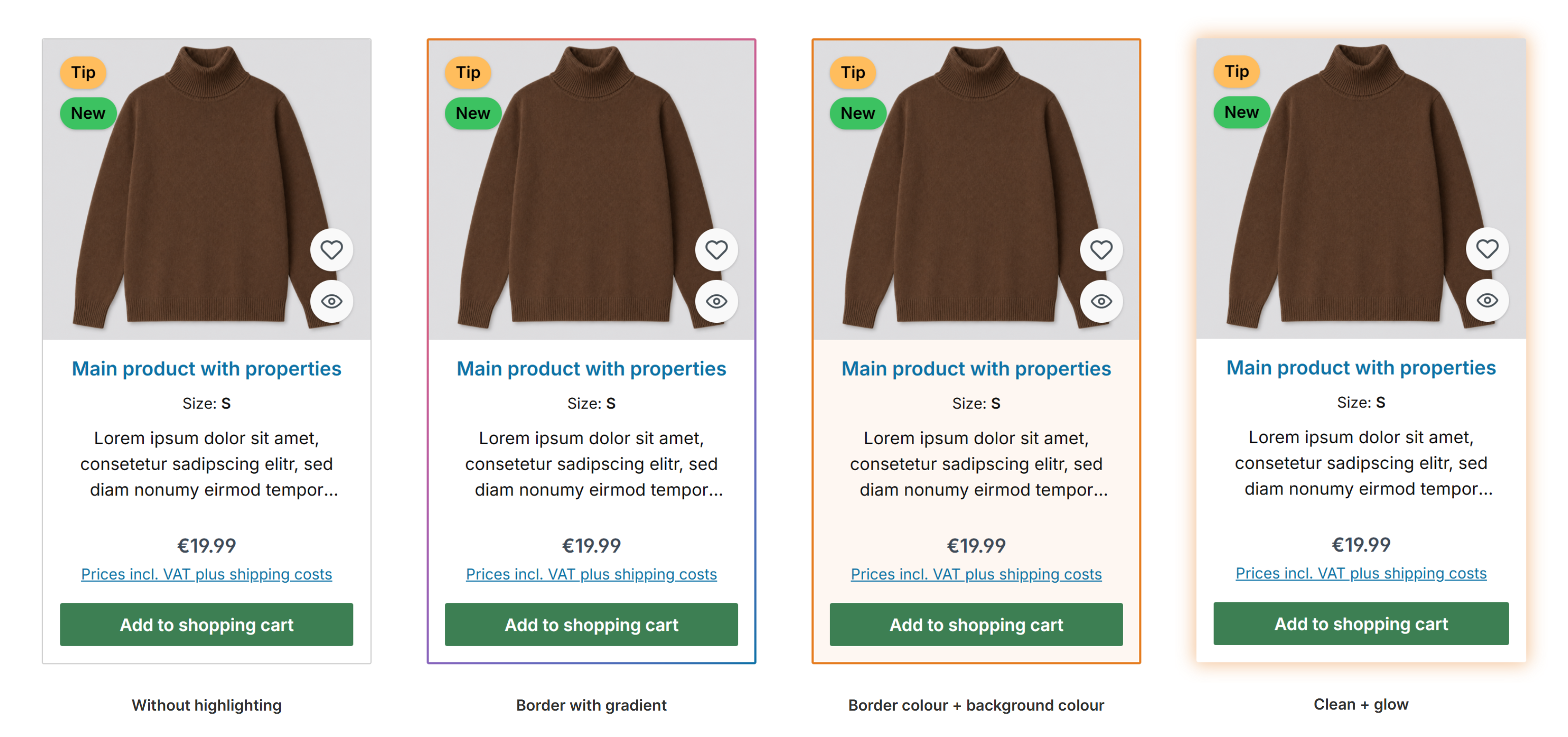
Topseller box without highlighting, with gradient, with border and background, clean with glow
Configuration: Tab "Listing pages" => Block "Product box 'Topseller'"
Tip: With a background colour of its own, cut-out product images (transparent background) work best. Images with a white background show as a white area on the box.
Beta: This feature may change in an upcoming update, but feel free to test it and send us your feedback.
Further information
- All settings in detail: Configuration
- The topseller badge in the product box: Topseller badge